 Trusted Since 2001


Quick Summary
Key points
- A handicap door button is the trade's door actuator or push plate switch. Pressing it sends a momentary signal to an automatic door operator, which opens the door. The button itself does not move the door.
- The main types are square push plates, narrow jamb mount plates, touchless wave sensors and wireless transmitters, plus posts and bollards when there is no wall in the right place.
- Placement follows the ADA rules for operable parts: within reach range, usable with one hand and no tight grasping, and positioned so the person using it is clear of the door swing.
- When a button stops working, the button is often not the problem. Check operator power and its on/off switch, the transmitter battery, the receiver pairing and the wiring before replacing the switch.
- Order by confirming the operator brand, wired or wireless, mounting style, box size and any lock integration, such as an electric strike that must release before the door opens.
| Type | Where it is used | Key detail |
|---|---|---|
| Square push plate | Walls, posts and bollards | Commonly 4-1/2 inch square, fits standard electrical boxes |
| Jamb mount push plate | Narrow door frames and mullions | Tall, narrow plate, often 1-1/2 by 4-1/2 inches |
| Touchless wave sensor | Restrooms, healthcare, high hygiene areas | Opens on a hand wave within a short range |
| Wireless transmitter | Where running wire is impractical | Needs a matching receiver at the operator |
| Post or bollard | Open approaches with no suitable wall | Holds one or two push plates at the right point |
In This Guide
The button by the front door is the part of an accessible entrance most people touch, and the part most likely to be blamed when the door does not open. Sometimes it really is the button. Often it is the operator, the battery in a transmitter or a lock that never released.
This guide explains what a handicap door button actually is, the main types and where each one fits, the ADA principles that decide where it goes, why buttons stop working, and what to confirm before you order a replacement.
What Is a Handicap Door Button Called?
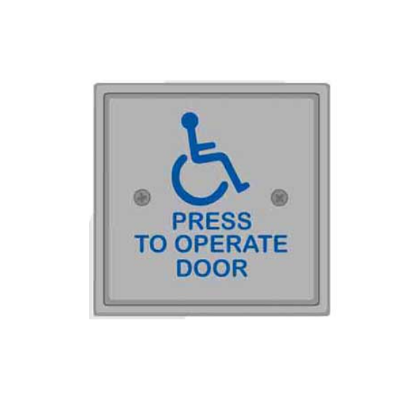
In the trade it is called a door actuator, an activation switch or a push plate switch. Accessible door button, ADA push button and automatic door button all describe the same thing. Most carry the International Symbol of Accessibility and a short instruction such as push to open.
The button is a momentary switch. Pressing it briefly closes a contact, which tells the automatic door operator to open the door and hold it for a set time. Everything that moves the door happens in the operator above it. Our guide to how automatic door openers work explains the operator side.
Does pressing the button unlock the door?
Only if the system is wired that way. On a door that is also locked, the button signal has to release the lock first, usually an electric strike or an electrified lock, and only then start the operator. If the door is locked when the operator pushes, it will strain against the latch. That sequence is set by the operator controls or a relay, not by the button.
What Types of Handicap Door Button Are There?
Square push plates
The most familiar style. A large plate, commonly 4-1/2 inches square, that can be pressed with a hand, an elbow or the side of a wheelchair. Large plates are easy to hit, which is why they are the default for most entrances.
Jamb mount push plates
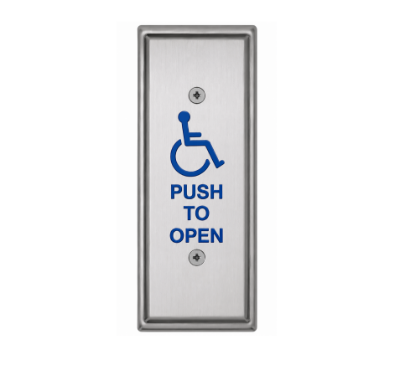
A tall, narrow plate designed for door frames and storefront mullions where a square plate will not fit. The Detex 104739-HSS, for example, has a 1-1/2 by 4-1/2 inch active face plate on a stainless steel back plate, with a rubber bellows for added weather protection.
Touchless actuators
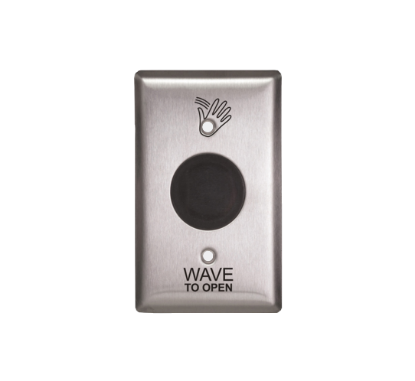
Touchless actuators open the door when a hand passes in front of the sensor. They are common in restrooms and healthcare settings. The LCN 8310-2310, for example, is a single gang stainless steel touchless actuator for interior use, with a 1 to 12 inch range, an adjustable 3 to 30 second hold time, battery power from two AA cells, and either a wired or wireless output.
Wireless transmitters and kits
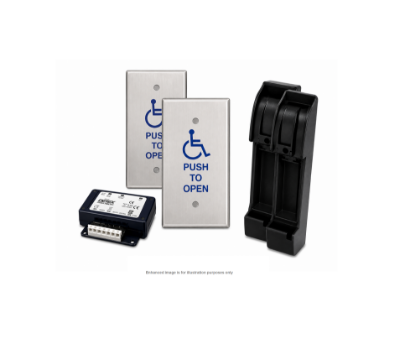
Wireless actuators avoid running cable through finished walls or across an approach. A transmitter in the button talks to a receiver at the operator. Some kits convert an existing wall actuator to wireless, such as the LCN 8310-844J jamb mount transmitter kit, which works with an 8310-865 receiver. Others arrive complete, like the Detex 104741-HSS wireless jamb mount kit for low energy operators.
Posts and bollards
When the right position for a button is in open space, a post or bollard holds it there. The Detex 105396-1, for example, is a surface mounted aluminum post that carries two 4-1/2 inch square push plates and can be configured for hardwired or wireless operation.
| Situation | Usual choice | Why |
|---|---|---|
| Wall beside the door, cable available | Hardwired square push plate | Simple, durable and easy to hit |
| Storefront with narrow mullions | Jamb mount push plate | Fits the frame where a square plate cannot |
| No wall in the right place | Post or bollard with push plate | Puts the button where the user approaches |
| Finished walls, no cable path | Wireless transmitter and receiver | Avoids opening walls to run cable |
| Restroom or hygiene sensitive area | Touchless actuator | No contact needed to open the door |
| Vestibule with two sets of doors | Buttons plus a sequencing relay | Opens the inner and outer doors in order |
Where Should a Handicap Door Button Be Mounted?
Two sets of rules apply. The button itself is an operable part under the ADA Standards, and the door it controls is covered by the standard for its operator type.
- Within reach. Operable parts need to sit within the accessible reach range, which for an unobstructed approach is between 15 and 48 inches above the floor.
- Easy to operate. The button must work with one hand and without tight grasping, pinching or twisting of the wrist, and without excessive force. Large push plates meet this easily.
- Clear of the swing. The person pressing the button should not be in the path of the door when it opens. That usually means placing the button to the side, beyond the swing of the leaf.
- Reachable from the approach. A wheelchair user needs clear floor space in front of the button, so do not place it behind a planter, a railing or a closed door.
The local building code and the authority having jurisdiction have the final say, and many projects follow their own design standards on top of the ADA. Our guide to ADA door clearance covers the clear widths and maneuvering space around the door itself.
Do low energy doors need a button?
Low energy operators are generally activated by a knowing act, such as pressing a push plate, because the door moves slowly and with limited force rather than opening on approach. Full power doors are usually activated by motion or presence sensors instead. The operator type therefore decides whether a button is the primary way to open the door.
How Do Buttons Work With Locked Doors and Restrooms?
Any door that is locked as well as automated needs a sequence: release the lock, then open the door. On an accessible single user restroom, the system also needs a way for the occupant to lock the door and for that lock to stop the outside button from opening it.
Kits exist for exactly this. The LCN 8310-2420 push plate restroom kit, for example, includes a logic relay with power supply, a combination push to open and push to lock actuator, an illuminated push to open plate, a Grade 2 electric strike and a door position switch. If the lock side of the opening is unfamiliar, our electric strike parts section covers the strikes these systems use.
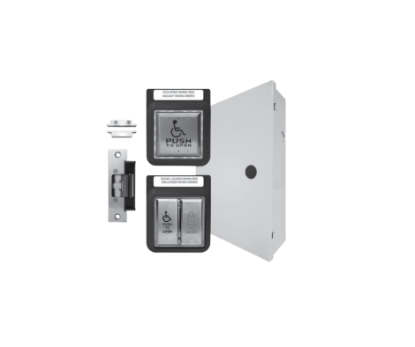
Vestibules raise a similar problem. Pressing one button should open the outer door and then the inner door in sequence. A relay and door sequencer, such as the LCN 8310-845 used with Senior Swing and Benchmark operators, handles that timing on hardwired systems.
Why Is the Handicap Door Button Not Working?
Start with the system, then the button.
| Symptom | Most likely cause | What to check |
|---|---|---|
| Nothing happens at all | Operator off or without power | The operator power and its on, off or hold open switch |
| Wireless button dead | Transmitter battery or pairing | Replace the battery, confirm the receiver is learned |
| Works sometimes | Worn microswitch or loose wire | Contact operation and terminal connections |
| Door strains but does not open | Lock not releasing first | Electric strike power and the release sequence |
| Only one of two doors opens | Sequencer or second operator | Relay programming and the second operator |
| Opens by itself | Stuck switch or interference | Switch contacts, wiring and wireless channel |
Many operators have a three position control: on, off and hold open. The LCN 8310-806K key switch, for example, offers on, off and hold open for Benchmark and 4630/4640 operators with the CS option. A switch left in the off position is one of the most common reasons a button appears dead. If the operator itself is the problem, our door operator parts section covers motors, arms and controls.
What Should You Confirm Before Ordering a Door Button?
Six details settle the order. The operator brand and model the button will signal. Wired or wireless, and if wireless, which receiver it must pair with. The mounting style: wall, jamb, post or bollard. The electrical box size or surface box you are mounting into. Interior or exterior use, because some touchless actuators are interior only. And whether the button also has to trigger a lock release or a sequence.
You can browse push plates, touchless switches and wireless kits in our door actuator section. For LCN systems, the LCN 8310 series parts guide lists actuators and accessories by part number.
About the Author
Security Parts has supplied repair parts for commercial door hardware since 2001, covering Von Duprin, LCN, Schlage, Falcon, Detex and Adams Rite at the component level. Our diagram based lookup exists so a technician can confirm a part before ordering it. This guide was written by the Security Parts team from supplier documentation and the questions our customers bring us.
If an accessible entrance is not opening and you are not sure whether the button, the operator or the lock is at fault, contact us with the operator model and a photograph of the button, and we will help you narrow it down.